
I’ve been testing AI note-takers, and they’re pretty incredible. One tool I’ve been having success with is Granola. It’s easy to use and excellent at creating meeting summaries.
A few lessons I’ve learned so far for getting the most out of your AI note-taker:
- The default meeting notes are great, but using a custom notes template is beyond great for specific use cases.
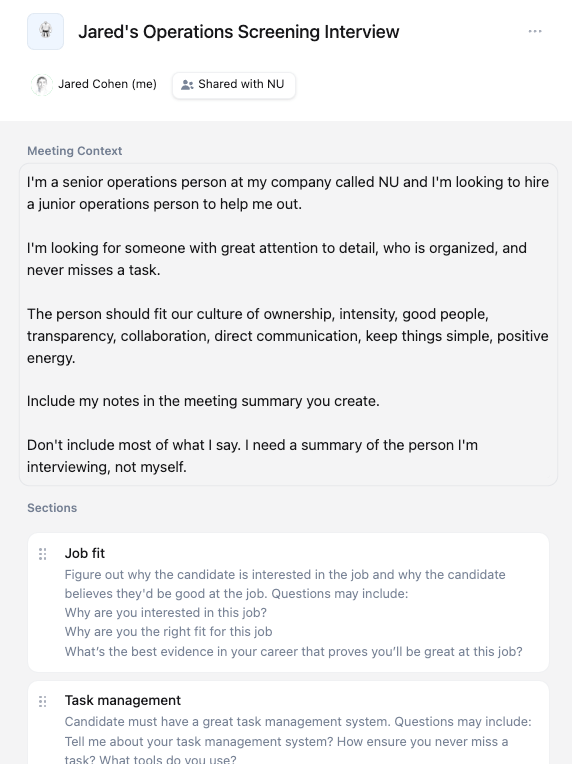
- As with many things in AI, getting the prompts right is important and can take some iteration. With the right template structure and prompts, it’s incredible what the tool can do. Below is a peek at the template I’ve been using for screening job candidates.
- Adding a few of your own notes during the meeting to guide the AI and ensure it doesn’t miss something vital helps. I often have 2-3 bullets that I add.
It has many other useful features too. You can ask it questions during the meeting like, “What did I miss?” when you’re multitasking but should be paying attention, or “What’s that mean?” when you’re confused. And then after the meeting, you can ask it to create action items or ask what the answer was to a certain question. Check it out!
 Resources for Startup Operators