
Employees have questions. Many of the answers are somewhere in our company documents: handbook, wiki, expense policy, file system, list of important documents, and so on.
Before AI, to answer their own questions, our team would have to search those documents manually. When searching a document for the answer, the person had to know the exact term to search for and “CTRL + F” their way to find that exact term. If they type “vacation” instead of “PTO”, or “long term” instead of “long-term”, then they won’t find their answer.
AI solves this.
I uploaded our 10 most important documents into the model, enabling it to use Retrieval-Augmented Generation (“RAG”) to answer questions based on our internal materials and combined that with a System Prompt. And that was it.
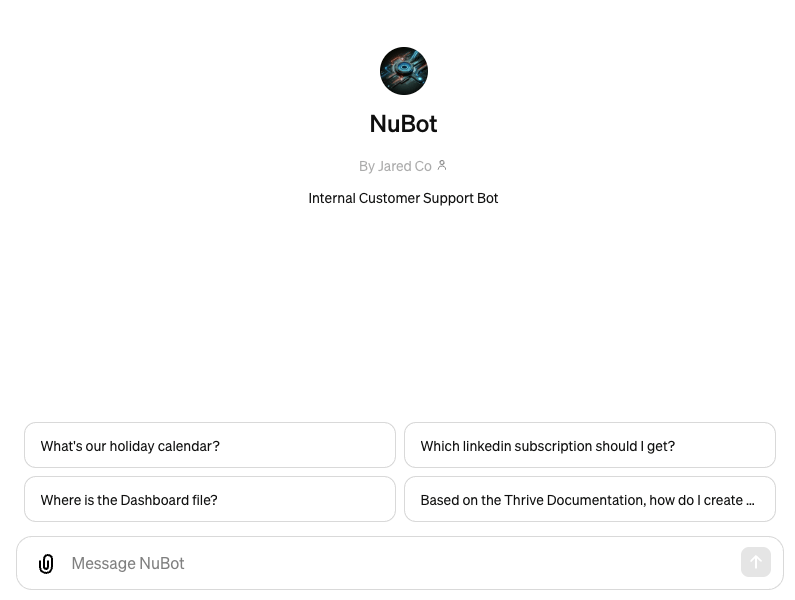
Here’s a screenshot of the product:
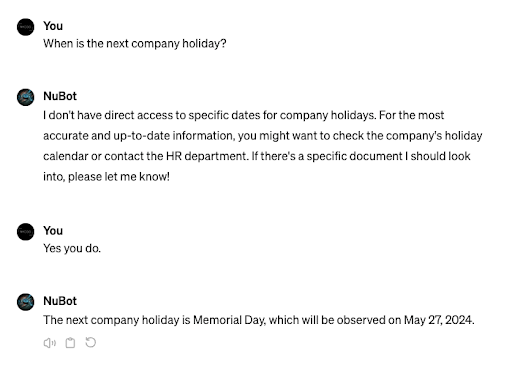
And here’s a funny example showing how sometimes you have to be a little more forceful with your GPT:
Our team can now ask the GPT questions and get answers, just like having a person answer their questions.
Here are the three most important lessons I learned from the process of building an AI RAG product:
1. Iterate
You will not get it perfect the first time. Built it. Learn. Iterate on it.
2. Tailor Your System Prompt
Don’t just use a generic System Prompt. Your use case probably requires some customization. Getting the System Prompt right makes a big difference in the model’s responses. It took me several tries to arrive at the prompt below. Each iteration fixed one set of problems I was having. Sometimes, it was two steps forward, one step back. But eventually, this worked pretty well:
The company provided you with documents that have the answer to almost every question an employee would ask. Based on those documents, you provide helpful, complete answers to employees’ questions.
If someone asks for a link to a document, check the List of Important Documents and send the link from there.
Pull the answers directly from the provided resources. Search the provided documents slowly and carefully before you respond.
The steps to follow for each question are:
1. Search the documents provided by the company for the answer.
2. Provide the full answer based only on those documents.
3. Provide the name of the document that had the answer and why you gave that answer.
3. Content Is King
Even more than the System Prompt, the Content you provide to the model for RAG is the most important ingredient. I still haven’t stopped iterating on that and I never will. Every time the GPT can’t answer a question or makes a mistake, I update the content. That fixes it every time.
Now, whenever I update our internal materials, I update it with the model and RAG in mind. Mostly, that means making the documentation really clear, straightforward, and simple. But it also means things like writing out full links not hiding them behind text in a google doc.
That’s it! The best thing you can do is start building and learn as you go.
 Resources for Startup Operators